
Animator Device
$59.99 In stock
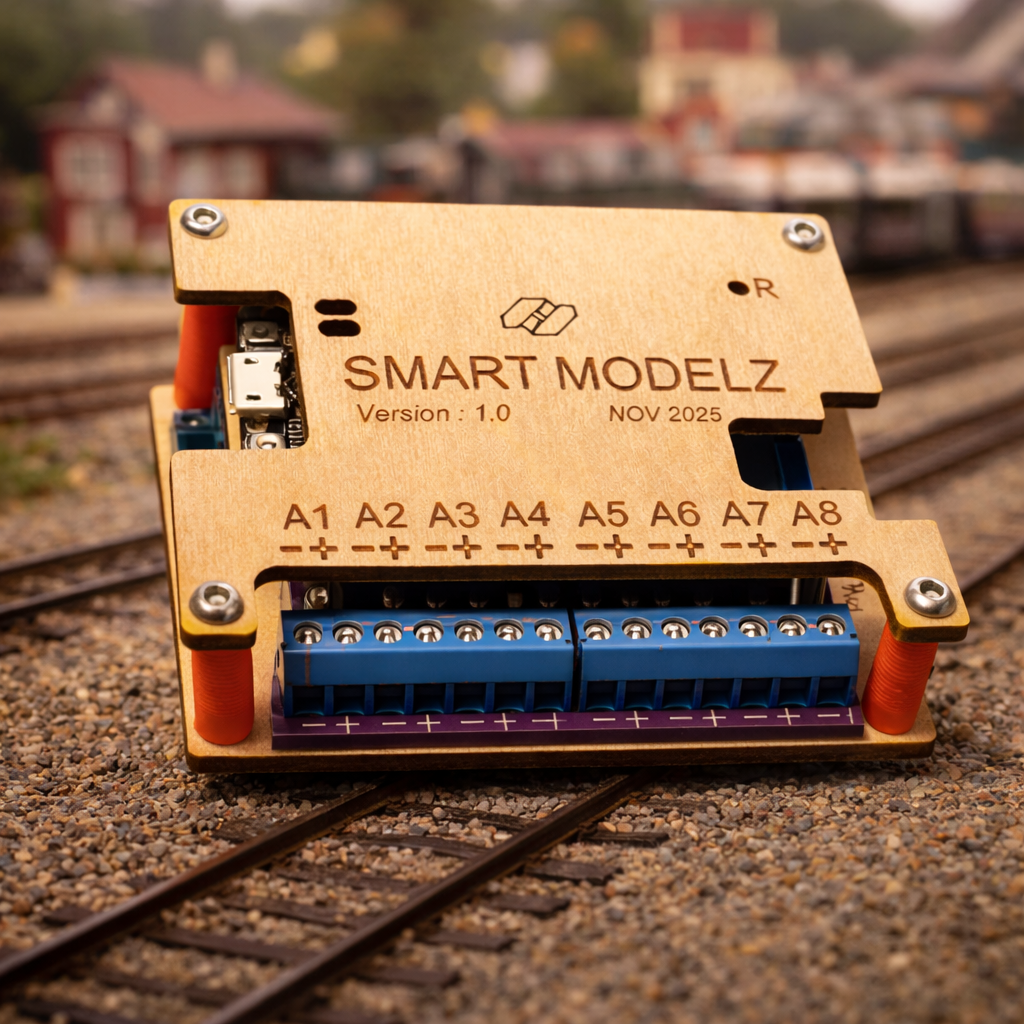
The Animator Device is the main component of the Animator Lighting system. It controls each light circuit. It sets the light's brightness, the flicker effect, and the on and off state.
When used with the Animator phone App, you have complete control of each light circuit, without touching any wires or knobs.
The Animator Device is also easy to setup - no soldering required. Just plug your LED light wires into the Animator terminals and tighten each terminal's screw. The Animator Device includes a screw driver for this purpose.
Finally, you connect your 12V or 24V power source to the Device's power input terminals and screw them down.
Your structure comes to life with your new lighting system!
Basic Specs
External dimensions: 3.5" x 2.25" x 0.82" (89 x 58 x 21 mm).
Status lights: red light indicates power is on. Blue light indicates current status of the device.
Electronics: microcontroller with Bluetooth which runs the device software.
Other components: an Animator lighting system requires this device plus a power supply and LED lights.
Electrical
No resistors! No external resistors or power protection is required for LED lights that meet the voltage and current limits described below.
For example, Woodland Scenics LED Nano lights and LED Stick-On Lights work with 30 milliAmps (30 mA) and 12 volts (12V) input. The LEDs supplied by us also work with 30mA and 12V input.
Lights: there are 8 output ports on these devices, labelled A1, A2, .. A8. Each port is a pair of screw-in terminals. You plug your LED leads into the screw down terminals and tighten the screws.
Each port can power LEDs from 3V to 24V, if there is enough power input. The port voltage supplied to the LEDs matches the Power Input to your device. For example, if your Power Input is 12V then your LEDs will receive 12V.
Each port is current limited to 30 mA, which is enough for all the common modelling LEDs that we have tested.
Power: the input power voltage can be anywhere between 12V and 24V DC. We recommend a current input of between 1 Amp (1A) and 2 Amps (2A). The Power Input cable terminates in a pair of wires. Those wires must be stripped at the Animator end. They are then inserted into the Animator's PWR-IN (Power Input) screw-down terminals, on the right side of the device.
Phone App
All changes to the lights are sent to the Animator from the Animator app.
The only requirement is the phone with the Animator app is close to the Animator device. Holding the phone in the same room is close enough. There are rare instances where something in the room blocks radio waves. In this case, the phone needs to be moved closer to the Animator device. We will work with you to resolve any communication issues.
The Phone app controls the light settings. It enables you to easily change the settings at any time from your phone - without touching the lights or the Animator device.
The app is available on the Apple App store. You can install it in the same way as other apps, with just a couple taps. For people purchasing the Animator device, the app is free.
Shipping
This device is shipped via regular post in the USA and Canada.
In order to save on postage, the device is delivered in a flat package broken down into several pieces. It can be quickly assembled by press-fitting the pieces together.
The price includes the tariffs.
Return & Refund Policy
We make the return and exchange process as easy and hassle-free as possible. We will do our best to fix the issue quickly.
Please contact us if you have any issues. We will work with you to resolve the issue.
You can also return the product within 30 days for a refund or a replacement device if you are not satisfied.